Is it really the CFO?
Hongi Work lets any employee confirm, in about ten seconds, that the colleague on the line is really that colleague, on their own phone. The codes are made only on the two phones, and work without signal.
Available for pilots: running on our servers; the app version that includes it is in test (TestFlight and Google Play beta), not yet in the stores.
- 1You call back and readfurnace 458
- 2Your colleague reads theirscrayon 537 Your phone shows what it should be.
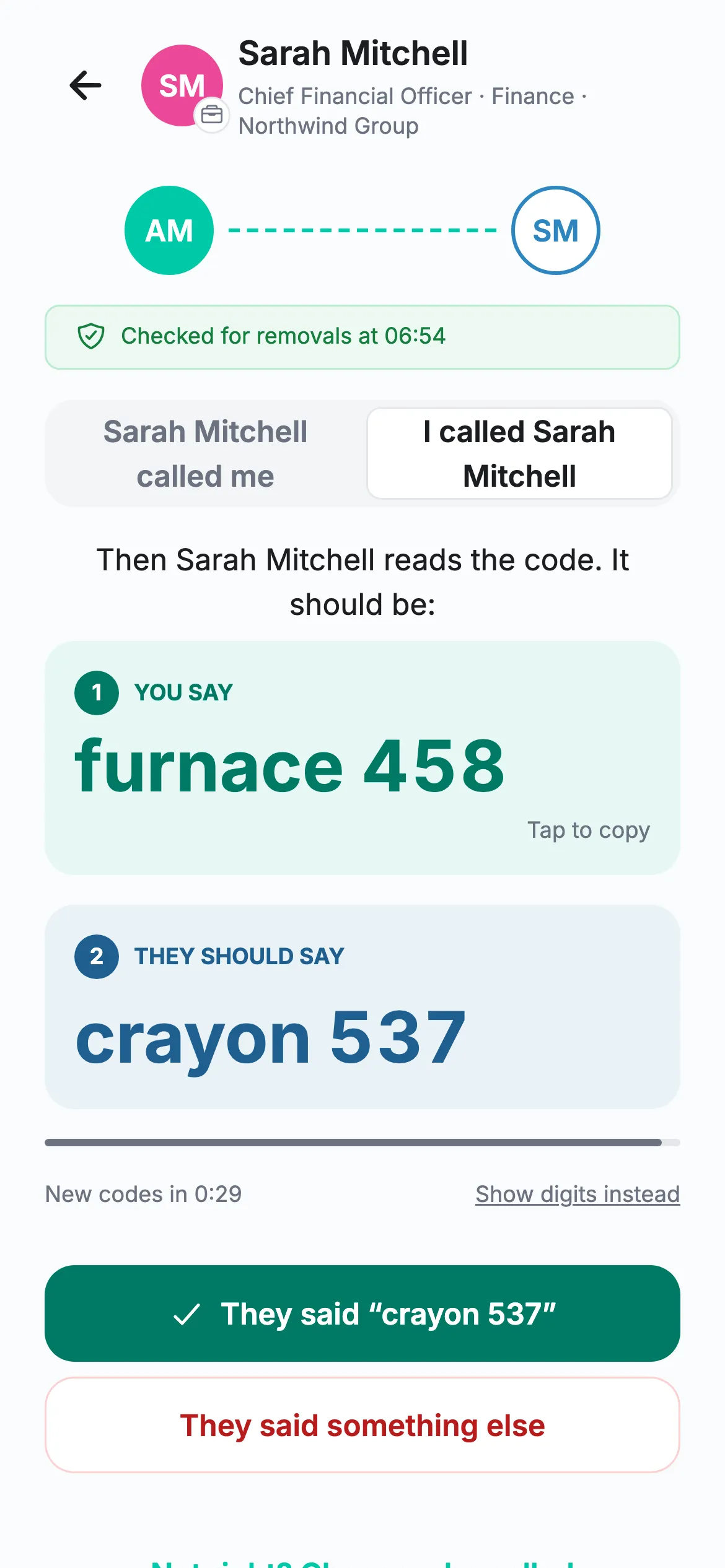
“It’s the CEO. I need a confidential transfer out today. Don’t tell anyone.”
CEO fraud works because staff are trained to help their managers quickly and quietly, increasingly with a cloned voice or a deepfake video call. The fake IT helpdesk works the same way.
Hongi Work gives every employee one house rule they can keep: no match, no money, no data.
Ten seconds, between any two colleagues
A word and three digits, or six digits if you prefer. The caller reads first; the colleague who was called checks.
Pick the colleague, say who called whom
Search a colleague or a team such as “IT helpdesk”. Safest on a call you placed: if someone calls you, hang up and call them back on a number you already know.
Read your codes
The caller reads their code, “breadbin 624”; the colleague reads theirs back and the phone shows what it should be. No network needed.
The caller speaks firstA clear answer
“This is Sarah Mitchell’s device at Northwind Group.” Words don’t match? Ask for the digits. Digits don’t match either: hang up and call back on a number you know.
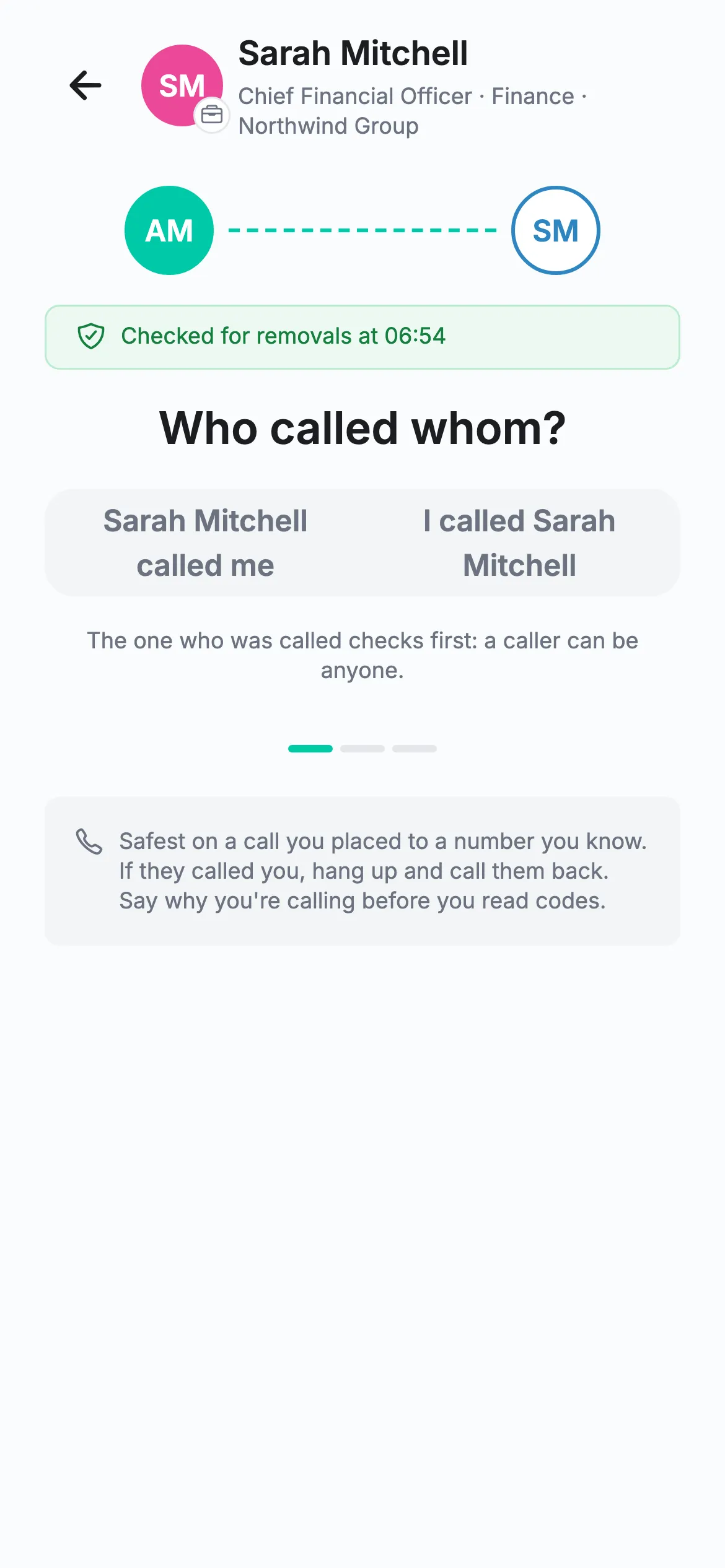
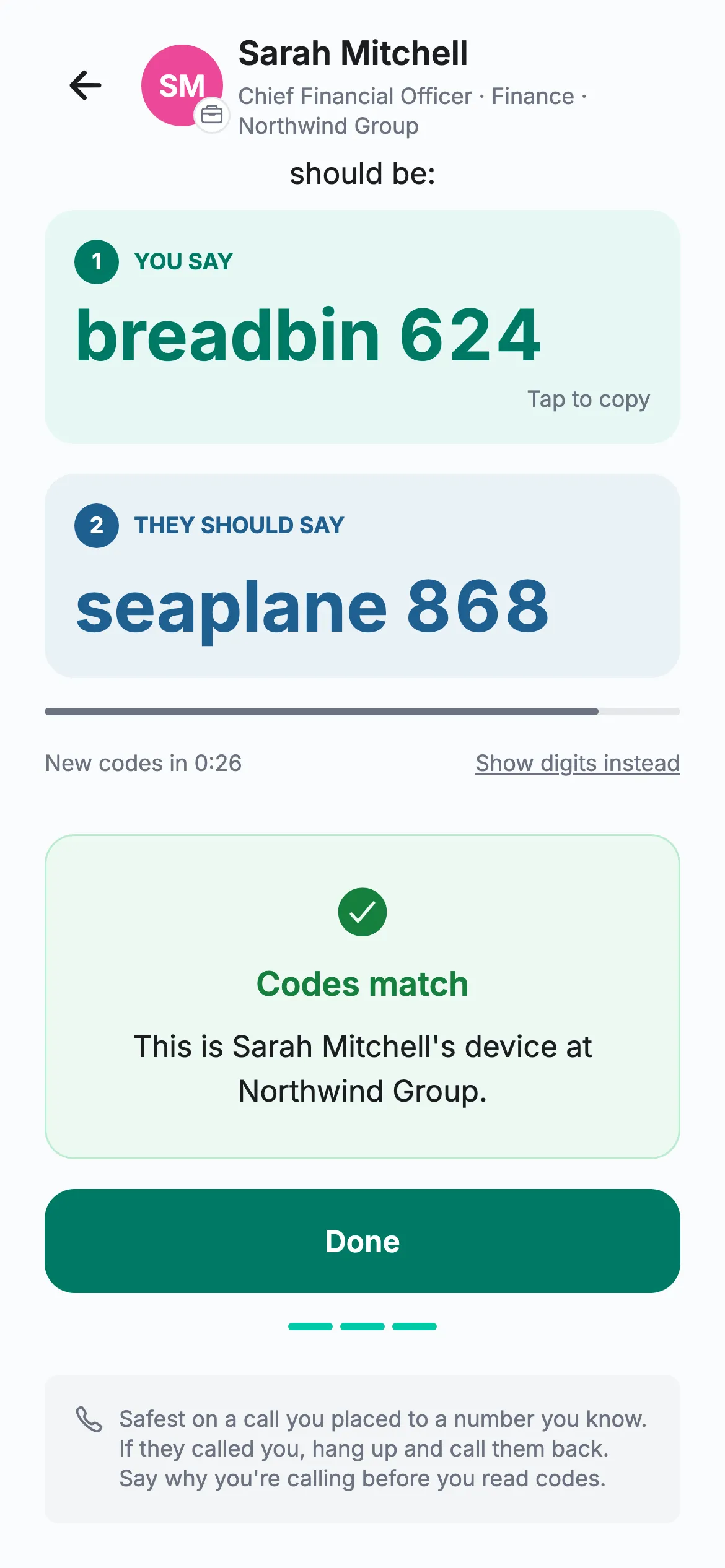
Real Hongi screens with fictional demo data
Each phone is set up once. Then it can check every colleague.
There is no pairing between people. 50 employees with their phones set up have all 1,225 pairs on day one; a 5,000-person organisation has over 12 million, and none of those secrets is stored anywhere.
Built for the calls fraudsters actually make
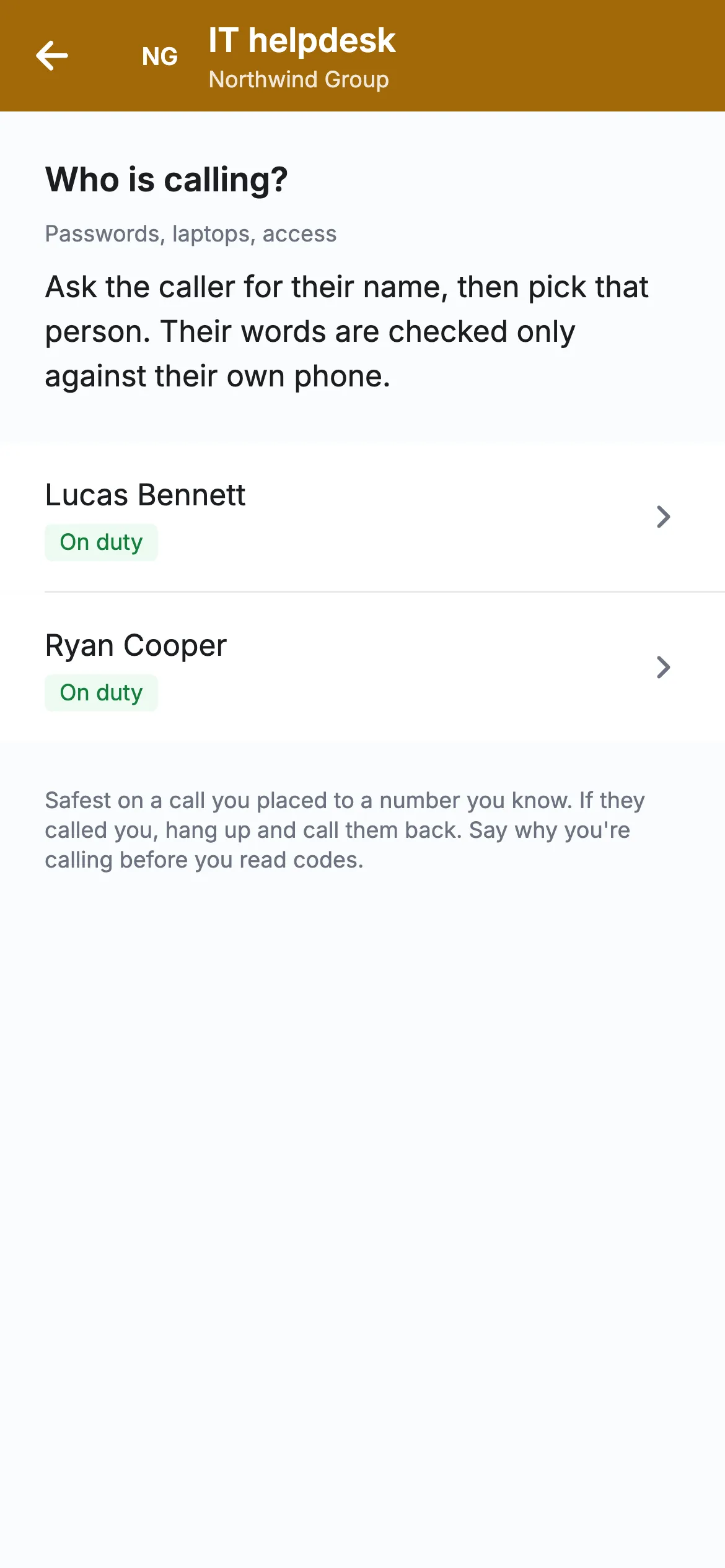
Check a team: “IT helpdesk”
A colleague can’t know which of eight helpdesk staff is on shift. With a role identity, the caller proves they hold the role right now, and the screen names who is speaking for it.
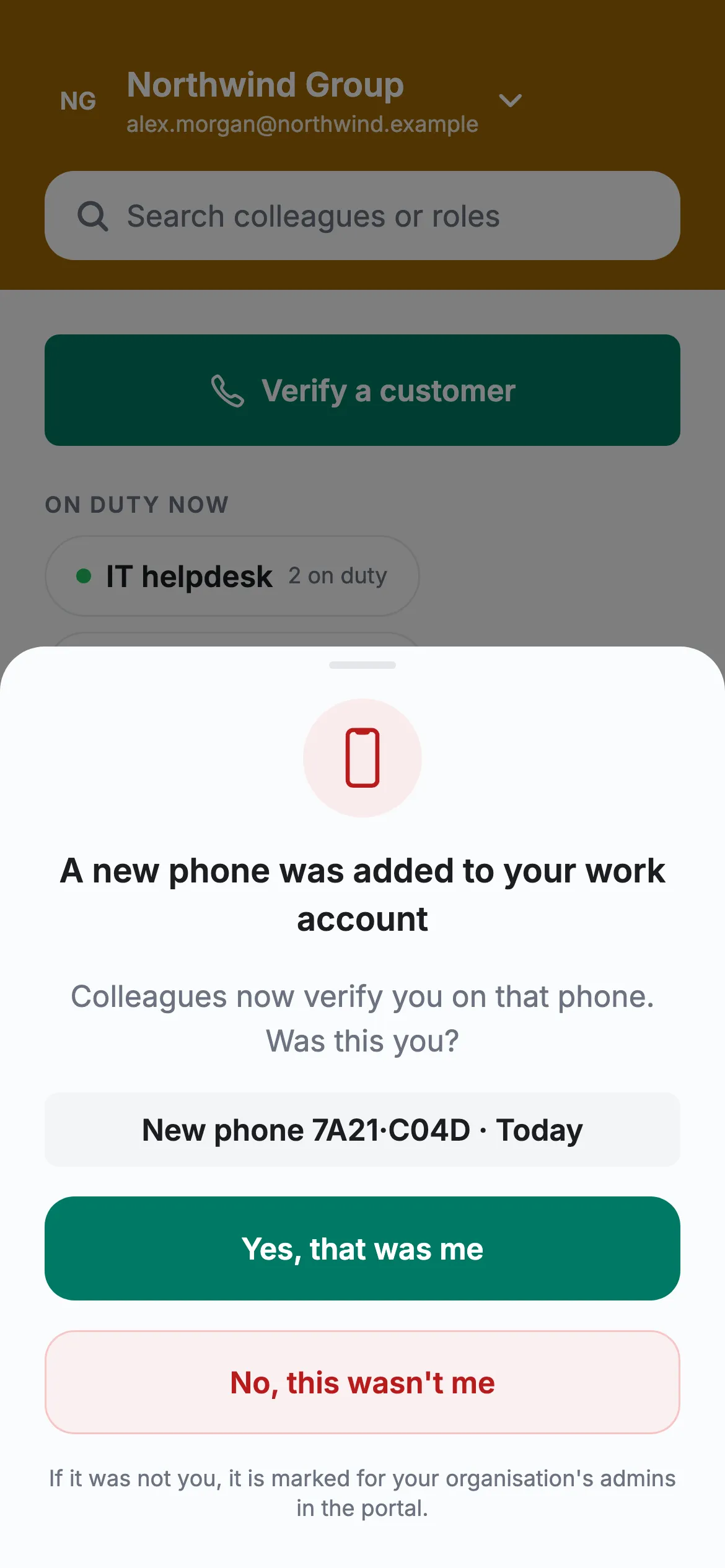
“Was this you?”
When a phone is added to someone’s work account, their other phones ask. “No, this wasn’t me” puts the new phone on your admins’ “Needs attention” list.
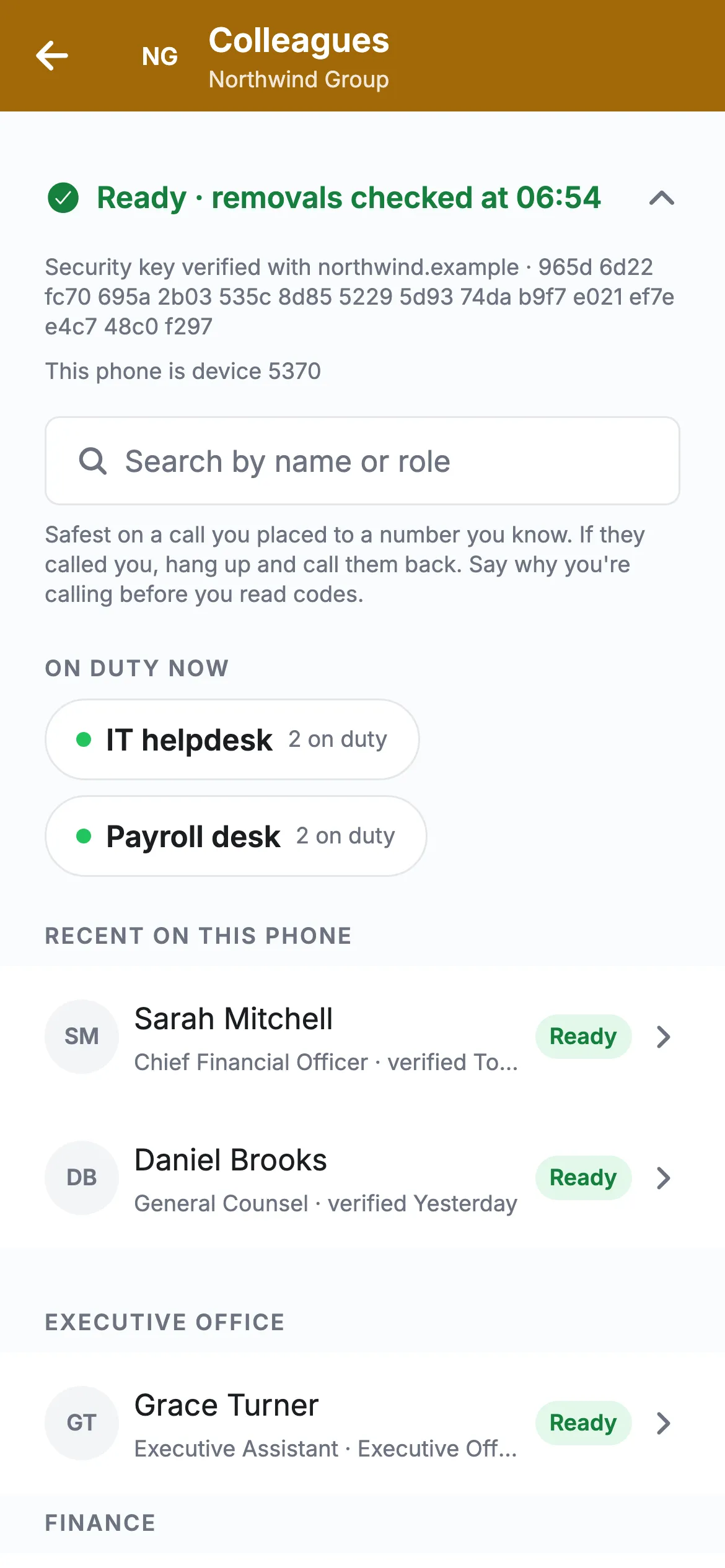
Your key, on your own domain
With a directory listing, publish your organisation key’s fingerprint on your domain. Phones check it there, and you can require a confirmed key before codes show.
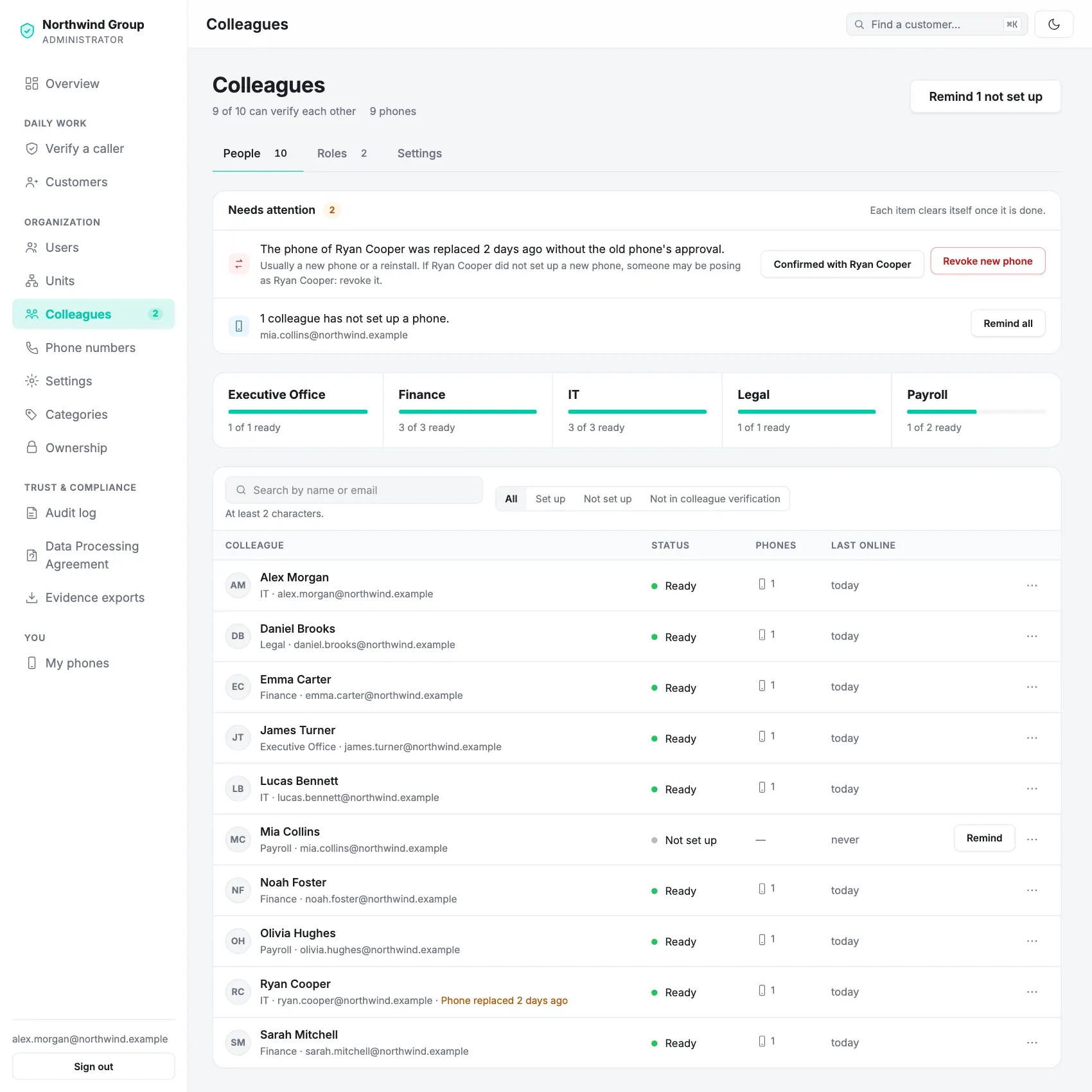
Colleagues → People: the attention list, coverage per unit and every colleague’s state. Fictional organisation.
What your team does
Switch on and choose units, approve the names colleagues see, create role identities, work the “Needs attention” list and revoke phones.
Sets up their own phone once. Nobody else can do it for them, and admins never see a code.
Reads the audit log: phones issued, renewed and revoked, settings and role changes. It never records who checked whom.
What you set up
Owners and admins change Hongi Work settings; nobody else can.
Switch on, choose units
Creates your organisation’s own signing key, which signs every colleague’s phone. Include or exclude units.
Code format
“Word and digits” (breadbin 624), the default, or six digits.
Removal list freshness
Phones warn when they couldn’t check for removed colleagues for longer than you set: 1 to 24 hours.
Organisation key on your domain
Publish its fingerprint as a DNS record or a file on your website. Needs a directory listing; with one, you can also require a confirmed key.
Role identities
Create “IT helpdesk”, “Payroll desk” or “Treasury” and add the holders.
People
Invite users in the portal, or connect Microsoft Entra ID so joiners and leavers follow your groups.
Works with Microsoft Entra ID
Staff sign in with their company account and your MFA. Your groups decide who takes part, which portal roles they have and which units they belong to, and you can preview a change before it applies.
Guests, other tenants and personal accounts are refused. With SCIM, Entra creates, updates and removes users; removing someone revokes all their phones in the same step.
In test: tested with a simulated Entra tenant so far. Not required: without Entra, invite and remove people in the portal.
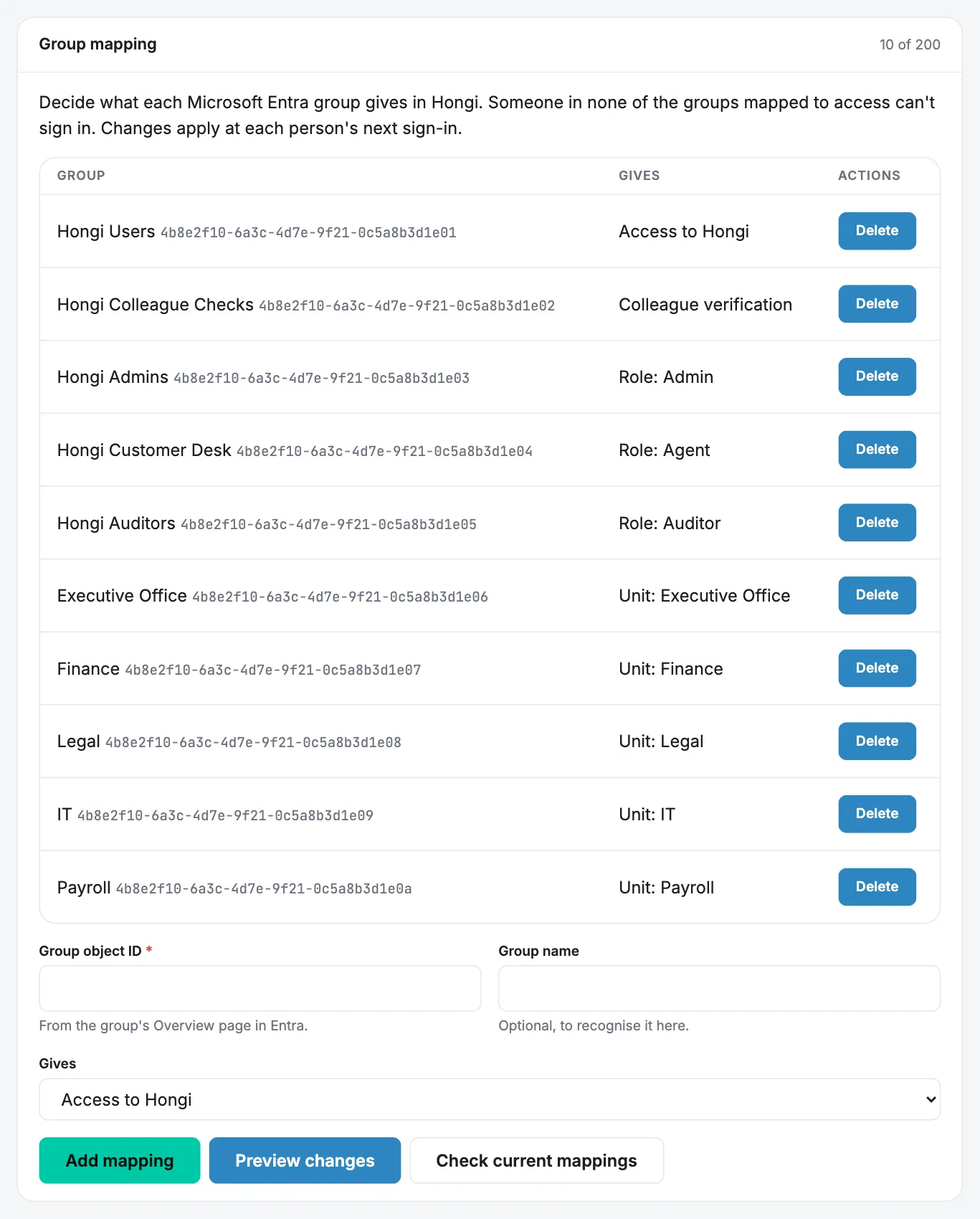
What Hongi can and can’t see
Hongi Work is a personal safety tool, not a monitoring tool.
- Phones by fingerprint, the days they were set up, renewed or removed
- Coverage per unit and the “Needs attention” list
- Never: codes, or who checked whom, when, or whether codes matched
- Accounts, memberships and the directory of certificates: public keys, approved names, role labels
- A status lookup when a phone checks a colleague online, logged without names; failed-check reports for 48 hours
- Never: colleague secrets, private work keys, codes or call content. Codes are made only on the two phones
- Someone on two calls at once can relay codes within 30 seconds. Check on a call you placed, and say why you’re calling before you read codes.
- A stolen device key works until the phone is removed or its certificate expires (30 days at most).
- Whoever fully controlled Hongi’s signing service could enrol a forged phone. The person’s own phones ask “Was this you?”, but a server under an attacker’s control could withhold that question.
Do we need Microsoft Entra ID?
No. Users can be invited and removed in the portal, and every Hongi sign-in already needs a one-time code. Entra adds your own MFA and Conditional Access, single sign-on and automatic leavers.
Does it work without signal?
Yes. Codes are computed on the phones from their own copy of the colleague list. Removals are checked when the phone is online, and the phone says when it couldn’t check.
What happens when someone leaves?
Remove them under Users, and all their phones are revoked in the same step; colleagues’ phones stop accepting them through a signed revocation list. With Entra and SCIM, deactivating them in Entra does the same. Without SCIM, Hongi suspends them after Entra refuses their sign-in on two nightly checks in a row.
Can our admins see who checked whom?
No. There is no report of individual checks. Admins see phones and the attention list; the audit log records issuance, revocation and settings changes.
What if Hongi disappears?
Phones keep working from what is already on them until certificates expire, 30 days at most, which leaves time to switch procedure.
Start with the people fraudsters imitate.
A fake advisor, a payment request from “the CFO”, a helpdesk reset: we set up a pilot around it with you. Or email info@hongi.io.