You and your customer check each other.
For relationships where both sides have something to lose: private banking, advisors, insurance claims, high-value instructions. Pair once with a named customer; from then on, both of you check on every call.
Available for pilots: running on our servers; the app version that includes it is in test (TestFlight and Google Play beta), not yet in the stores. No public listing needed.
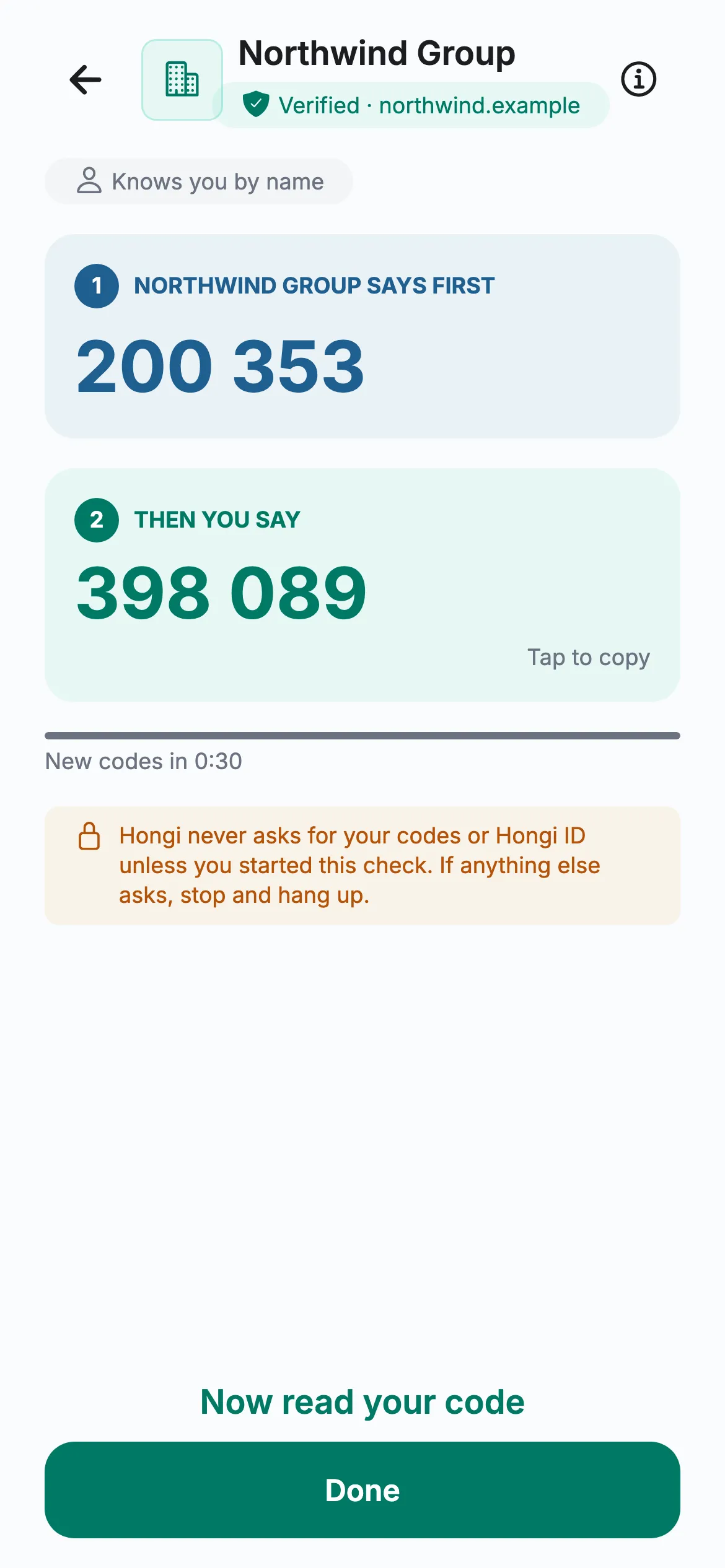
- 1Your agent speaks first200 353 It proves the call comes from you.
- 2Your customer reads back398 089 Your agent checks it.
“Hi, it’s me. I’ve got a new phone. Can you change my number and approve that payment today?”
A caller who knows your customer’s details asks your contact centre to change a phone number or approve a payment. Knowledge questions don’t help when the answers were stolen.
The directory proves you to anyone. Some calls need more: your advisor must also know that the person on the line is really their client.
Pair once. Then both sides check, every call.
Your organisation speaks first, so your customer knows it’s you before they say anything.
Pair once with a named customer
In person with a QR code, by link, or by importing a list. The customer accepts in the free app and sees exactly what you will know: the name you entered, the date they paired and when you ask for their codes.
Your agent speaks first
Your agent reads your organisation’s code. It proves to the customer that the call really comes from you; their own code only appears once yours matches.
Your organisation speaks firstYour customer reads theirs back
Your agent compares it with what the portal says they should say. A match proves it’s really them, on the phone you paired.
Then your customer
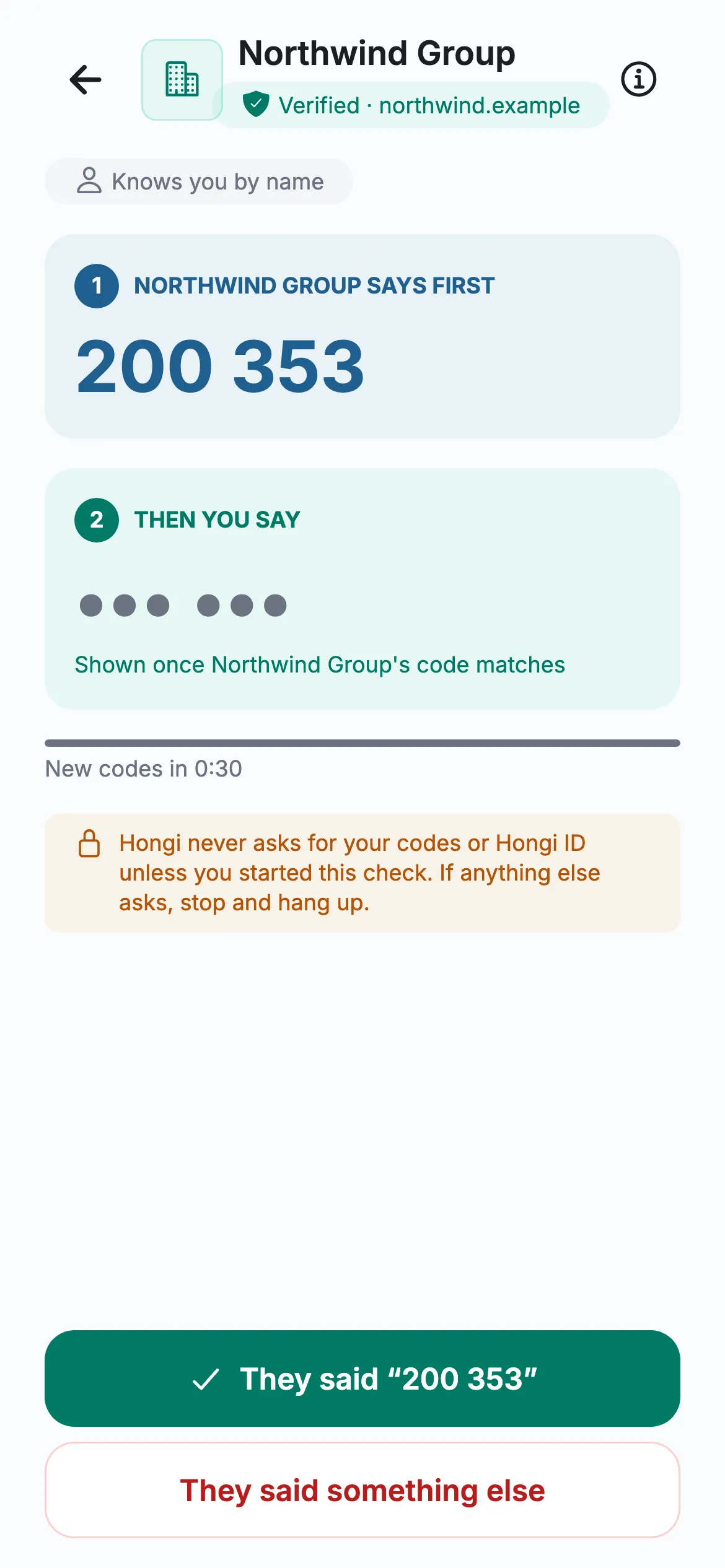
- 1Your agent speaks first200 353 The customer’s phone checks it.
- 2Then your customerTheir code appears only once yours matches; your agent compares it.
Codes change every 30 seconds. Your staff verify from the portal, which needs a connection; the customer’s app works offline.
Real Hongi screens with fictional demo data
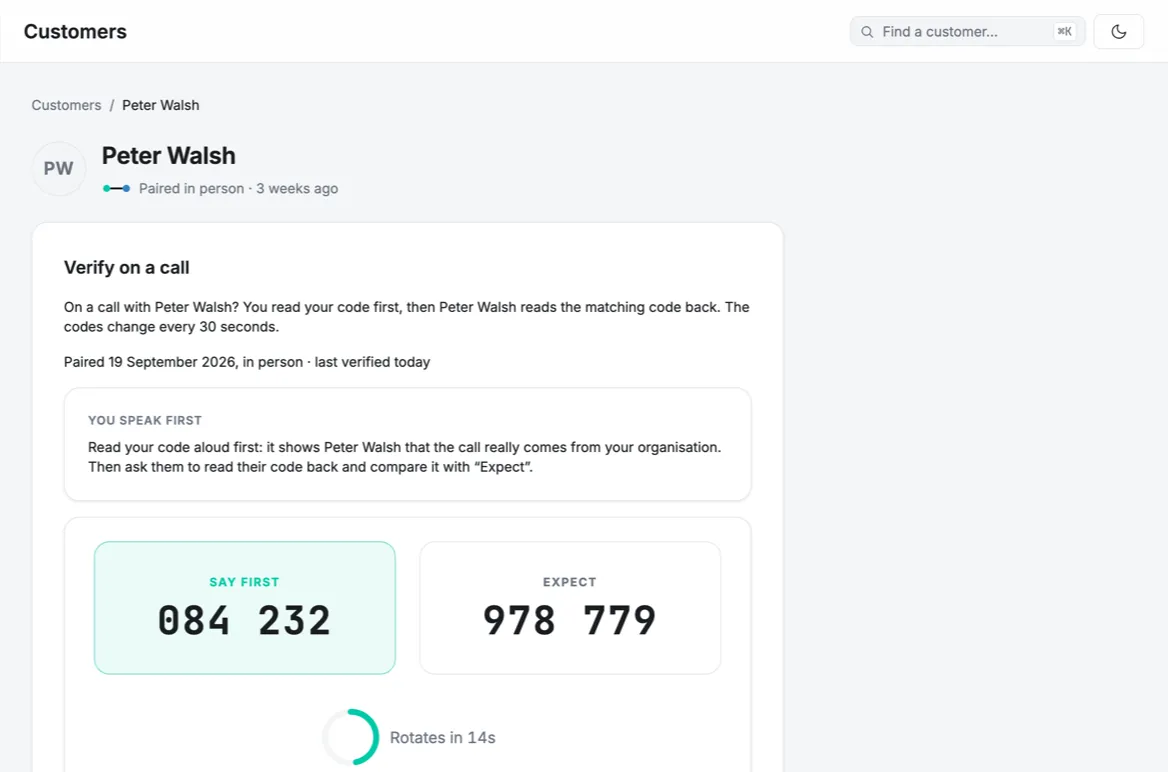
A customer’s page: your agent says the first code and expects the second. Fictional customer.
What your team does
Pair customers one at a time, by QR code or link. On a call, “Verify now”: read your code, then compare theirs.
Import customers from a CSV file, revoke a pairing, accept the Data Processing Agreement, and see each customer’s day-by-day history.
Download evidence exports: every pairing, and the daily matches and mismatches your staff recorded.
What you set up
No public listing needed. The portal shows a checklist until you’re ready to invite customers.
Domain proof
Prove your domain with a DNS record or a file on your website. Hongi checks it again every day.
Name and logo
Hongi approves the name and logo your customers see when they accept.
Data Processing Agreement
You are the controller of your customers’ names and Hongi the processor. Accept the agreement in the portal before you invite. Its final text is being prepared; we share the draft on request.
How you pair
In person by QR code, by link, or a CSV import for many customers at once.
Who can pair
Agents pair one customer at a time; admins import lists and revoke.
Evidence
Evidence exports for auditors: pairings and the daily results your staff recorded.
What Hongi can and can’t see
Your staff need your customers’ names to find them. Here is exactly how those names are kept.
- The name your staff entered, the date the customer paired, and the results your staff recorded
- Each customer’s day-by-day history
- Customer names only in encrypted form, under a key used for your organisation alone, kept in AWS KMS and managed by Hongi
- Your organisation’s copy of each pair secret, encrypted, so any authorised agent can speak for you
- Names never appear in audit records. Hongi never shares the customer’s contacts, phone number or other pairs
- Whoever fully controlled Hongi’s signing service and its key rights could compute your organisation’s codes. That limit is operational, not cryptographic.
- A link pairing doesn’t prove who opened the link. Pair high-risk customers in person.
Hongi Customers, answered
More in our business documents: ask for them with a pilot request.
Do we need to be listed in the directory?
No. Hongi Customers works for organisations that aren’t listed. You prove your domain and Hongi approves the name and logo your customers see.
Does it replace our identity checks?
No. It confirms that the person on the line holds the phone you paired with. How you identify a customer before you pair them stays your process.
What happens when we revoke a pairing?
It takes effect at once for your staff. The next time the customer’s app checks in, it deletes the codes and shows the pairing as ended.
Who is responsible for the customer names?
You are the controller and Hongi is the processor. The portal asks you to accept a Data Processing Agreement before you invite customers; its final text is being prepared, and we share the draft on request.
Which phones can customers use?
The free Hongi app, with no account. During a pilot, customers use our test version (iPhone; Android in test) until the store release.
Tell us which call worries you most.
A fake advisor, a payment request from “the CFO”, a helpdesk reset: we set up a pilot around it with you. Or email info@hongi.io.